- When using the word “Region” with Microsoft Subscriptions, it is important to understand there are several different uses of that word.
- National Region the Tenant is Configured For (USA, Canada, Italy, Pakistan, etc.)
- Data Center Region (US East, US West, London, Switzerland, etc.)
- Subscription Region (Four Regions Based on Nation the Tenant is Configured for – Microsoft Subscription Regions
- Visit the Microsoft Admin Center
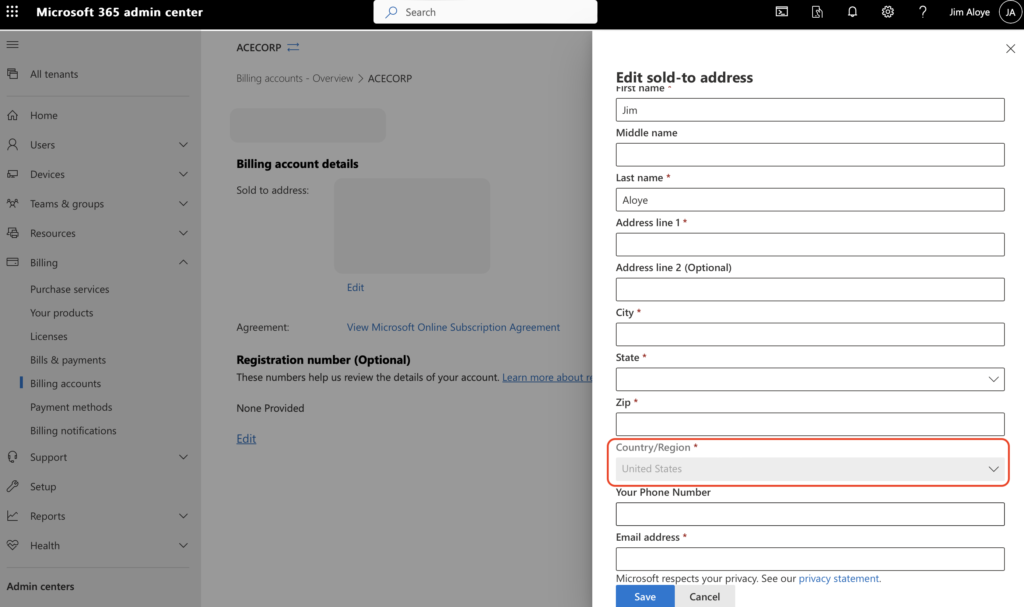
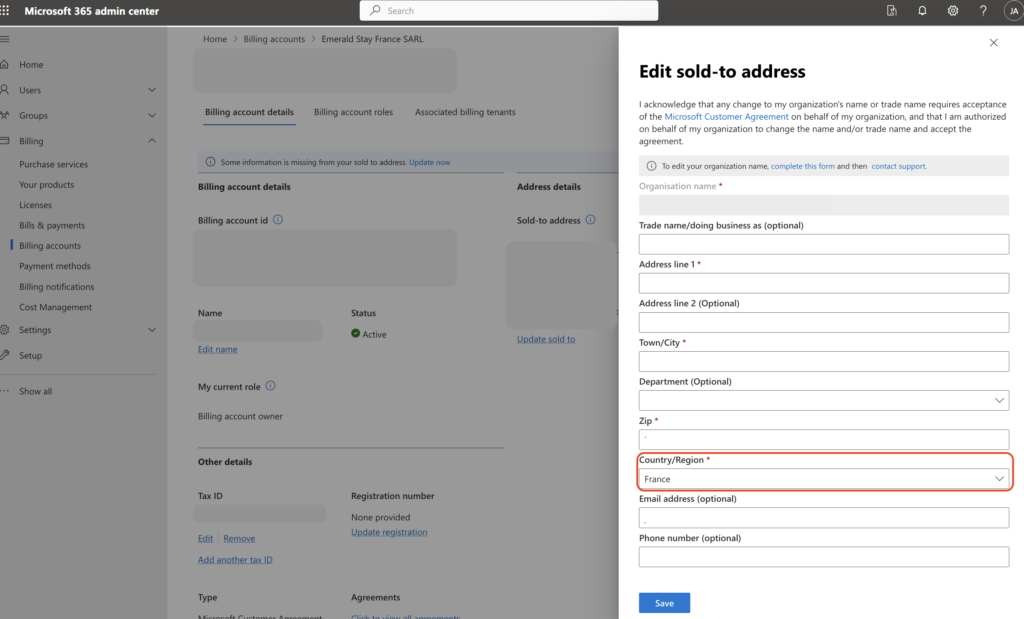
- Click on Billing Accounts, underneath the Billing Area
- Select your billing account and click edit.
- You should see the National Region listed in the area circled in red in the examples below.
- Once you have the National Region, you may use the Microsoft Subscription Regions list to determine which of the four subscription regions your Tenant is in.